Integrate ShareX with IDrive® e2
ShareX is a free, open source Windows application for fast screen capture, recording, annotation, and automated file sharing across multiple upload destinations. With flexible capture modes, post-upload workflows, and built-in editing tools, it streamlines documentation, reporting, and content creation. Integrating ShareX with IDrive® e2 provides a capable, scalable cloud object storage solution that effortlessly supports secure, efficient screen capture storage and sharing workflows.
Prerequisites
Before you begin, ensure the following:
- An active IDrive® e2 account. Sign up here if you do not have one.
- A bucket in IDrive® e2. Learn how to create a bucket.
- Valid Access Key ID and Secret Access Key. Learn how to create an access key.
- The latest version of the ShareX application installed on your machine.
Configure ShareX with IDrive® e2
The following instructions and config guidelines can help you configure ShareX with IDrive® e2.
- Launch the ShareX application.
- Click Destination settings in the left-side menu.
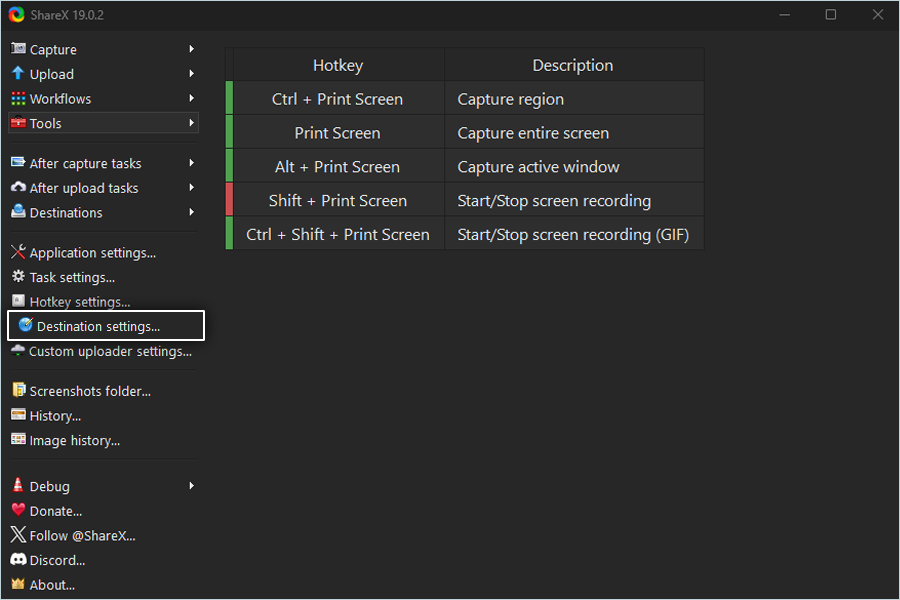
- Scroll down and click Amazon S3.
- Enter your IDrive® e2 Access key as the Access Key ID.
- Enter your IDrive® e2 Secret key as the Secret Access Key.
- Enter your IDrive® e2 Endpoint as the Endpoint.
- Enter your IDrive® e2 bucket name as the Bucket Name.
- Specify the Upload path of your choice.
- Under the Advanced section, set the Amazon S3 Standard as the Storage class.
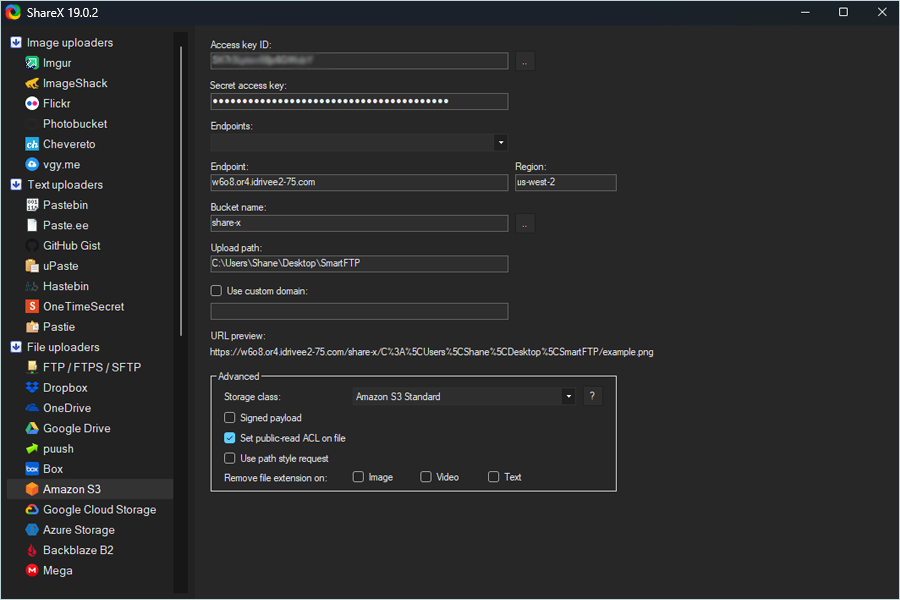
- Once done, close the window and open the main ShareX app.
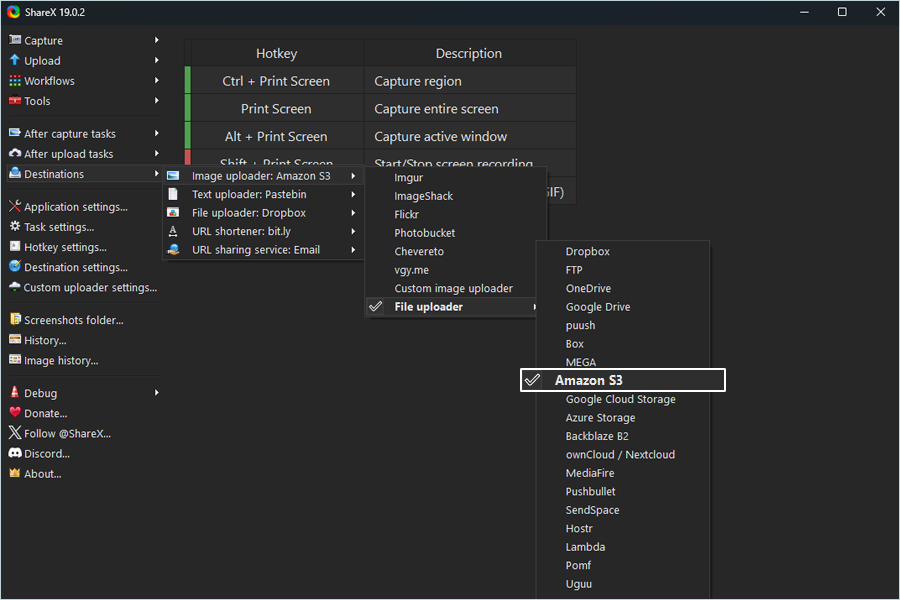
- Click Destinations > Image Uploader: Amazon S3 > File Uploader > Amazon S3.
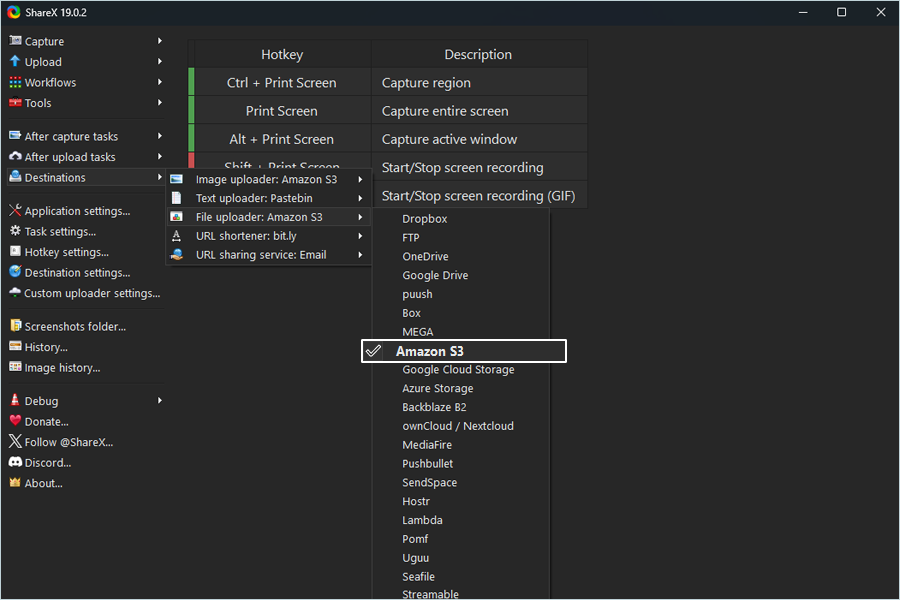
- Click Destinations > File Uploader: Amazon S3 > File Uploader > Amazon S3.
- Click Upload on the left-side menu bar to choose Upload file.
You can upload files, folders, text, etc., or drag and drop files or folders onto the Upload tab.
Note: Data restoration is handled by your specific backup solution provider and is affected by multiple variables that are unique to your environment. For application-related enquiries/support, it is strongly recommended you seek guidance from the technical team of your backup solution provider.